File Formats
What is a DST embroidery file?
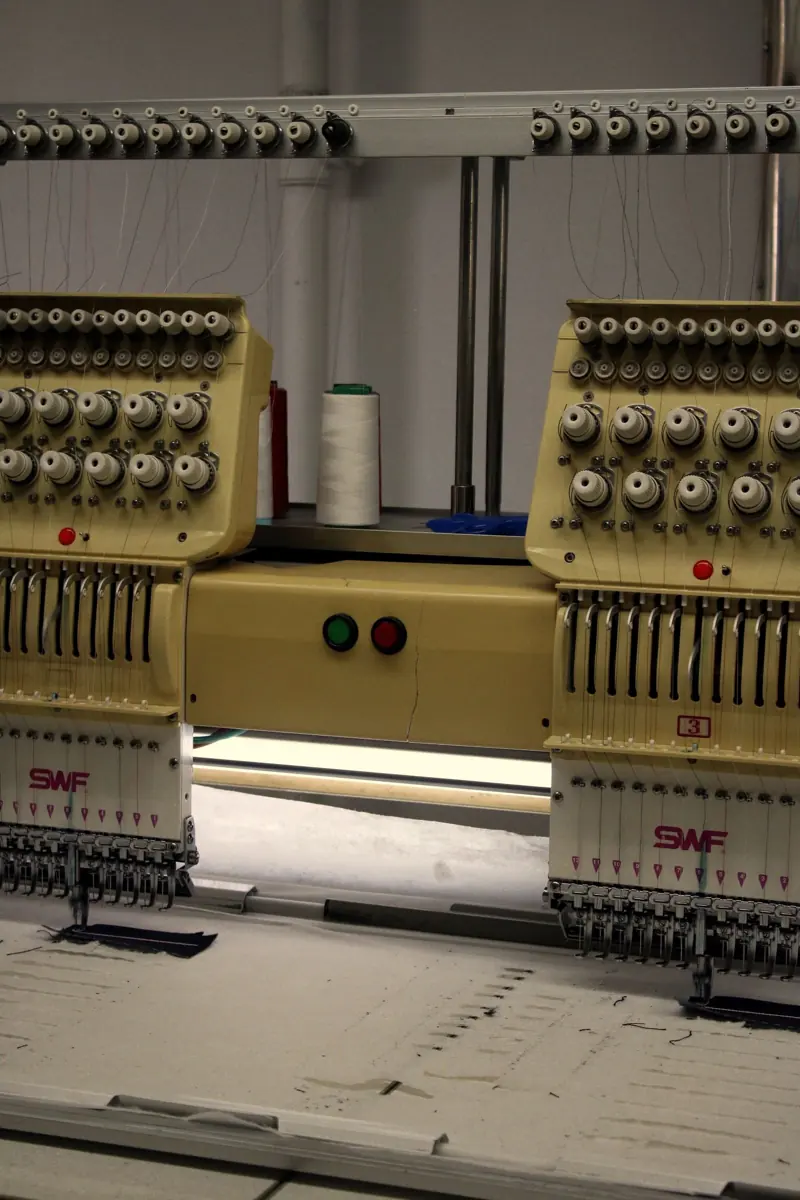
DST (Data Stitch Tajima) is the embroidery file format created by Tajima and read by almost every commercial multi-needle machine, including Tajima, Barudan, SWF, Happy and Ricoma. It stores stitch positions, jumps, trims and color-change stops, but not thread colors, so the operator assigns colors at the machine.
DST (Tajima) at a glance
| Full name | Data Stitch Tajima |
|---|---|
| Type | Stitch (machine) file, not editable as objects |
| Read by | Tajima, Barudan, SWF, Happy, Ricoma, Melco, Brother PR multi-needle and most commercial machines |
| Thread colors | Not stored; color changes are recorded as stops |
| Resize safely | About ±10%; beyond that, rebuild from the working file |
What's inside a DST file
A DST file is a list of movements: move the needle this far, sew a stitch; jump without sewing; stop for a color change; end. It also has a short header with the design name, stitch count, color count and size. That's all. There are no shapes, fonts or thread colors.
Why DST has no thread colors
Commercial machines have 6 to 15 needles, each already threaded with a color. The DST simply says "change needle here", and the operator decides which needle (color) each stop uses. That's why we include a PDF color sequence sheet with every DST, so the operator knows exactly which thread goes where.
Trims in DST files
Older DST files had no dedicated trim command. Trims are signaled by a series of jump stitches, and most machines are set to trim after a certain number of consecutive jumps (often 2–4). If your machine trims too often or not at all, it's usually this setting. Tell us your machine's trim setting and we'll match the file to it.
How to open a DST file
You can't open a DST in Photoshop or Illustrator. It's sewing instructions, not an image. To see it:
- Free viewers: most embroidery software makers offer a free viewer or trial (for example Wilcom TrueSizer, Embrilliance Express, or Brother's and Janome's free viewers).
- Your machine: commercial machines show the design on screen when you load it from USB.
- Our PDF preview: every file we deliver comes with a PDF showing the design, size, stitch count and color order. No software needed.
How to create a DST file
A DST can't be "saved as" from a design program like Illustrator, Canva or Photoshop, and renaming a PNG to .dst doesn't work. Someone has to digitize the artwork: plan every stitch, stitch type, angle, underlay and sequence in embroidery software (Wilcom, Pulse, Hatch, Chroma and others), then export a DST.
You have three options:
- Learn to digitize yourself. It's rewarding but takes months to get good at. See how to digitize for embroidery.
- Use auto-digitizing ("image to DST" converters). It's fast and cheap, but results are unreliable on anything beyond simple shapes.
- Hire a digitizer. Upload your logo and get a hand-digitized DST in 24 hours, from $20.
Converting JPG or PNG to DST
"Online JPG to DST converters" run auto-digitizing. For a simple, bold shape they can work. For logos with text, thin lines or several colors, they usually produce gaps, puckering and unreadable letters, because they don't know your fabric, size or the details that matter. Converting between stitch formats (PES to DST, for example) is different and works well, because the stitches already exist.
DST vs PES
PES (Brother) stores thread colors and is read by home machines. DST doesn't store colors and is the commercial standard. Many Brother multi-needle machines read both. Read our full comparison: DST vs PES: which file do you need?
Getting a DST of your logo
Upload your logo in any format and we'll deliver a hand-digitized DST, plus any other formats you need, within 24 hours. Prices start at $20.
FAQ
Frequently asked questions
Still have a question? Email orders@digitizingdelight.com and a digitizer will answer, usually within an hour.
Can I open a DST file on my computer?
Yes, with embroidery software or a free viewer. You'll see the stitches, but not the real thread colors, because DST doesn't store them.
Can I convert a JPG to DST?
Not automatically, at least not well. A JPG is a picture; a DST is sewing instructions. Someone has to digitize the artwork into stitches first. That's what we do, from $20.
Can a Brother machine read DST?
Brother PR multi-needle machines read DST. Most Brother single-needle home machines need PES. We include both.
Send your logo. Get a file that sews right.
Free quote within an hour during business hours. Stitch files in 24 hours. Pay after you approve the preview.